
Advanced Topic Skip if you’re new, explore when you’re ready.
Once you’ve set up a joint to have the right offsets, it possibly doesn’t have the same home movement as the motor linked to it.
Let’s look at two examples.
In this first example, the joint and the motor have the same home movement value, so going home is easy to calculate. Home for both is 1/2 way through their range of movement.
 0.0 0.0 | Home | 1.0 | |
|---|---|---|---|
| Joint | -150 degrees | 0 degrees ( 0.5) | +150 degrees |
| Motor | 1000 pwm | 1500 pwm ( 0.5) | 2000 pwm |
When we send the joint home to 0.5, the linked motor goes to the same 0.5 home value, which is 1500 pwm.
Now let’s look at a second example where we’ve reduced the range of motion of the joint in one side of it’s range of rotation:
| 0.0 | Home | 1.0 | |
|---|---|---|---|
| Joint | -50 degrees | 0 degrees ( 0.25) | +150 degrees |
| Motor | 1000 pwm | 1500 pwm ( 0.5) | 2000 pwm |
In this example, the home movement of the joint is now 0.25, based on where we set the offsets at minimum and maximum movement for the joint.
The home movement of the servo is still 0.5 based on how we set the motor up.
When we’re sending the robot to home, which home should Bottango use? The joint’s or the motor’s?
When the joint and motor homes don’t match, Bottango will default to always using the joint’s. You can also select which home to use:
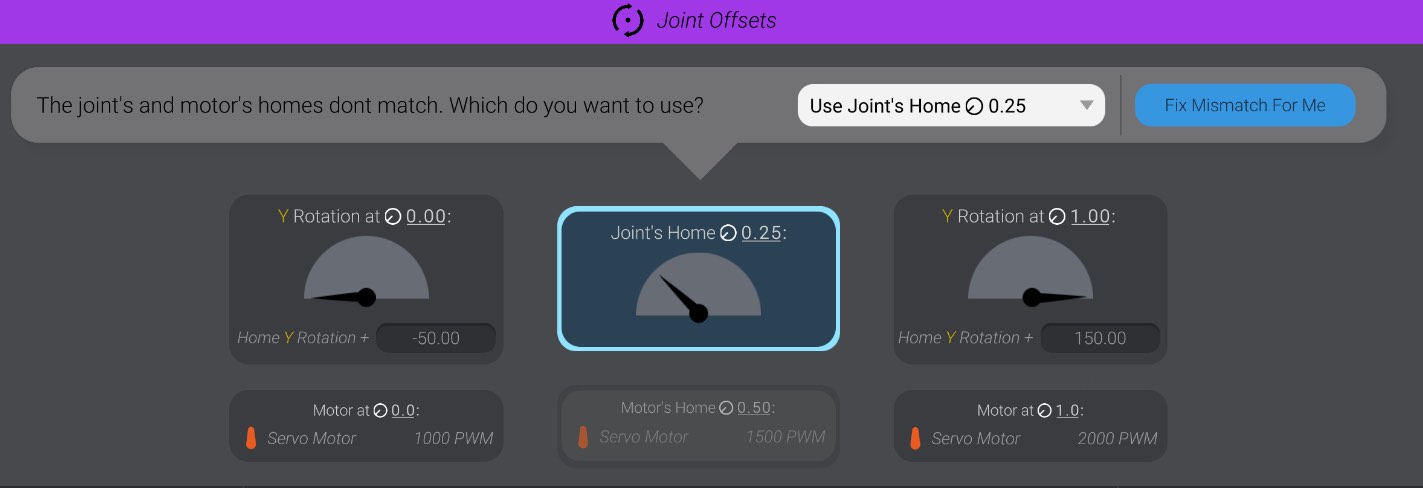
In the above example, we’ve left it at the default to use the joint’s home value of 0.25 instead of the motor’s 0.5.
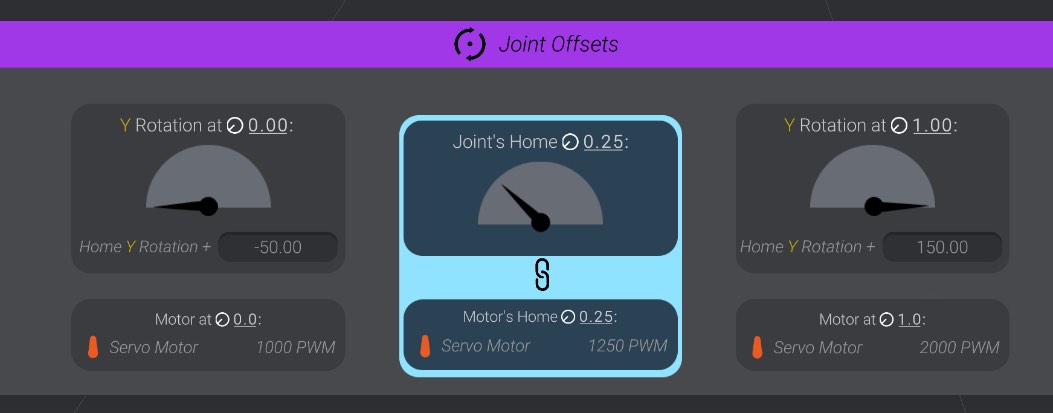
As well, you can press the “Fix Mismatch For Me” button. Bottango will make the best guess it can on what changes to make, and will modify your joint offsets and/or motor home value to make them have a matching home.
Here you can see, after pressing the “Fix Mismatch For Me” button, the motor has had its home value changed from 1500 pwm to 1250 pwm automatically:
| 0.0 | Home | 1.0 | |
|---|---|---|---|
| Joint | -50 degrees | 0 degrees ( 0.25) | +150 degrees |
| Motor | 1000 pwm | 1500 -> Changed to 1250 pwm ( 0.25) | 2000 pwm |