
Advanced Topic Skip if you’re new, explore when you’re ready.
Not every axis of movement on a robot is as simple as a single rotation or movement axis.
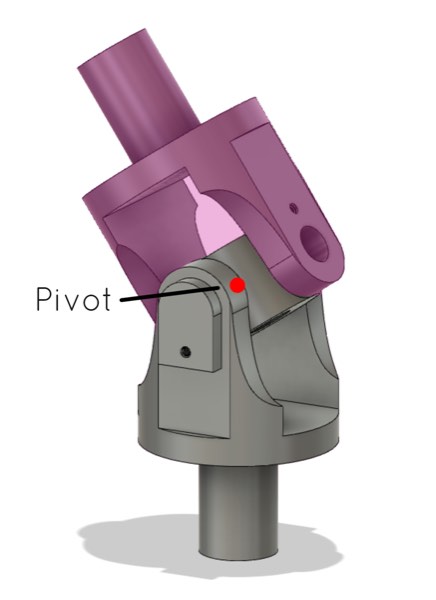
Let’s take, for example, a universal joint:
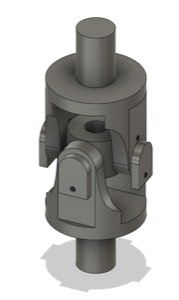
A universal joint can rotate in 2 axes. In the above example, the joint can rotate in the X and Z axes, and is static in the Y-axis.
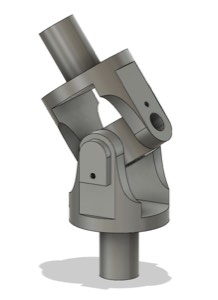
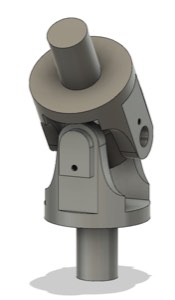
In the above illustration, you can see the joint rotated first in the X, and then in the Z-axis.
So you might argue that a Bottango joint should also be able to rotate in two axes, not just one.
However, if we take a closer look at the example universal joint, it’s really made of two joints combined that rotate in a single axis. There is first a joint that can rotate on the X-axis:
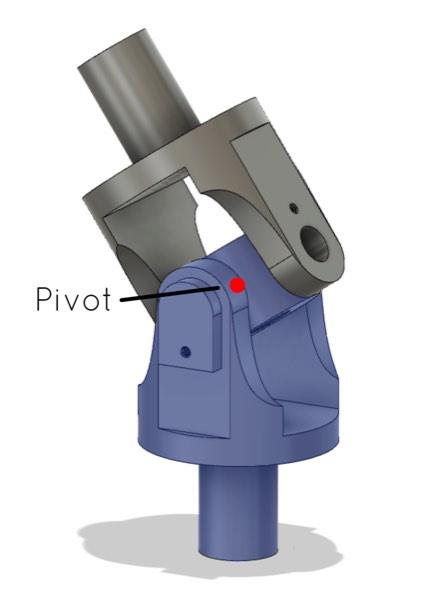
Then, with the exact same pivot point and connected immediately to that joint, is a second one that can rotate on the Z-axis:
To model this universal joint in Bottango, you would simply create the first joint, and set its axis to rotate in the X-axis. Then you would create a second joint, as a child of the first joint, in the exact same position as the first parent joint (i.e. a home position and rotation of 0), with a rotation axis of Z. Subsequent joints, structure, and motors would be a child of this assembly, and you can rotate in both axes by rotating each joint.
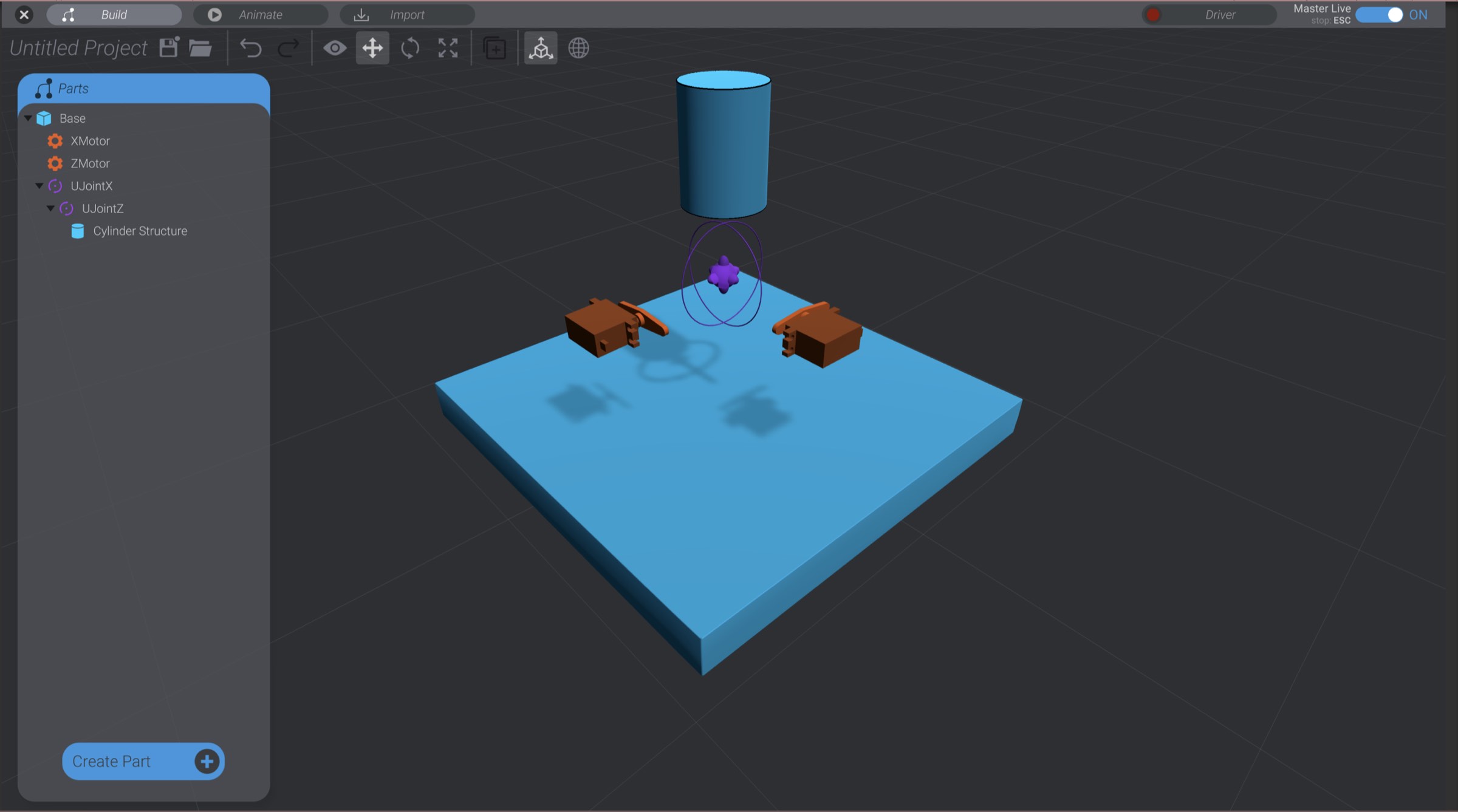
As for a true multi-axis joint, such as a ball joint, you would use the same setup. In a ball joint, it doesn’t matter which axis is the parent of the other, so long as both joints share the same pivot point (i.e. location and rotation).
If your simulation requirement requires more than what can be done with the forward kinematics of a single joint or stacked joints, that’s where you’ll want to turn to Target Poses, Pose Blends or other techniques. See those sections for more details in the advanced mechanisms section.