
Common Problems
How Do I Change the Duration of an Animation?
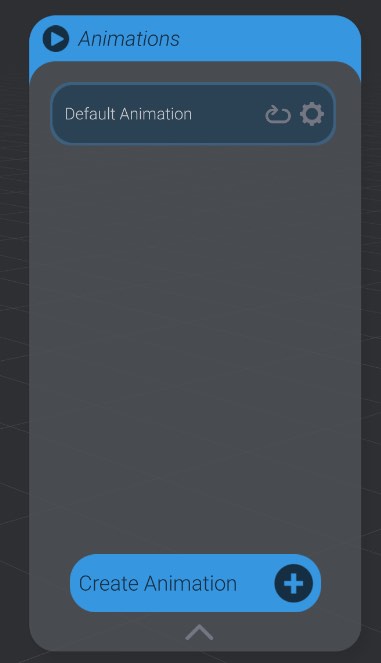
Section titled “How Do I Change the Duration of an Animation?”Click the “settings” gear button on the animation you want to change the duration of.
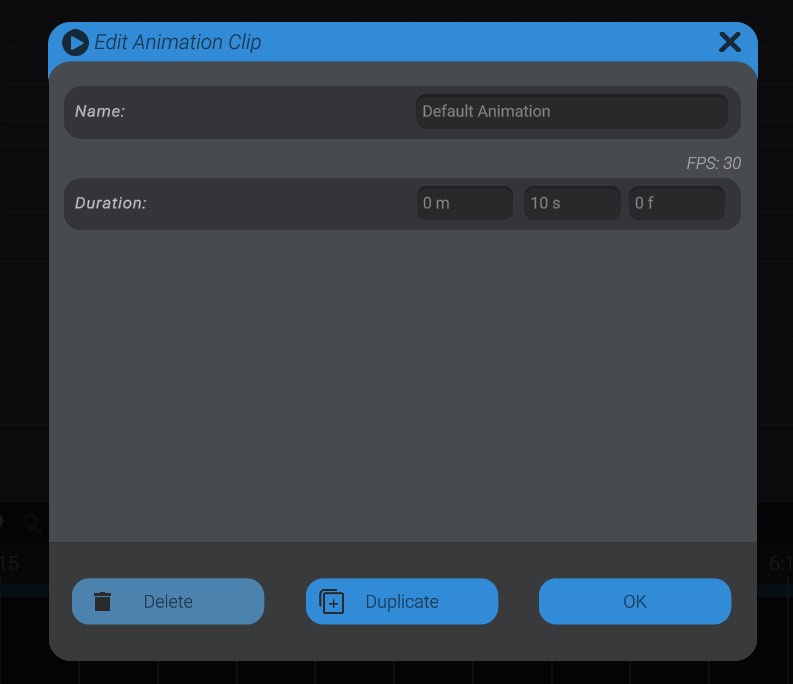
Here you can change the name and duration of the animation. Input the desired animation duration the same way you would enter time when selecting time in the animation window (Minutes : Seconds : Frames).
See Editing and creating new animations
Error “src/BottangoCore.h No such file or directory” While Uploading
Section titled “Error “src/BottangoCore.h No such file or directory” While Uploading”If you are trying to flash the Bottango firmware and get an error like “error src/BottangoCore.h No such file or directory,” that usually means you are trying to run the Bottango firmware sketch on Windows from inside the downloaded zip, rather than extracting the files. Just double-clicking the .zip on Windows will not extract the files.
Be sure to fully unarchive the downloaded zip (by right clicking on it), and run the Bottango app and the Arduino sketch from the expanded folder, not from inside the zip.
My Servo Is Not Moving its Full Range of Motion
Section titled “My Servo Is Not Moving its Full Range of Motion”Every hobby servo is controlled via PWM, with a minimum and maximum value the servo expects to see in order to move its full range of motion. However, that value is not standard at all, and what is right for one servo is not guaranteed to work for another, even of the same make and brand.
Because of this Bottango lets you enter in your range of PWM for each of your own servos. The default values in Bottango are 1000 PWM - 2000 PWM. This is fairly conservative though. If you’re not sure what to try next, try 600 - 2400, which is a pretty common set of values for a full range of motion. You’ll want to keep trying PWM until you find the right values for your servo and your build.
I want to use more servos than I can with an Arduino Uno R3
Section titled “I want to use more servos than I can with an Arduino Uno R3”With Bottango + an Arduino Uno R3, you’re limited to 8 max servos (5 if using a PCA9685). This is a technical constraint, not a design decision.
The easiest answer to scaling up your project is to either:
- Level up to a more advanced board like an ESP32 based development board. Out of the box an ESP32 can handle creating control signals for 16 servos.
- Copy and paste! Bottango has all the tools you need to connect to and keep synchronized with multiple microcontrollers. If you need 10, there’s usually no problem just splitting 5 and 5 between two microcontrollers.
Whatever your solution, remember that power is still something you’ll need to solve. Large projects have complex power requirements and remember to build safely.
My Servo/Stepper/Motor isn’t moving and I’m new to all this!
Section titled “My Servo/Stepper/Motor isn’t moving and I’m new to all this!”Bottango is a tool to control a robot, but it is not designed to troubleshoot or build the hardware itself. If your motor does not seem to be working with Bottango, the first thing to find out is if the motor and your setup works at all.
The most effective way to get things working is to take a step back, and remove Bottango from the equation for a bit. You’ll want to get your hardware (motor, Arduino, etc.) working WITHOUT Bottango, and then add Bottango back in when you’re confident in your setup and ready for more advanced motion control.
One recommendation is to look for Arduino tutorials that use the kind of motor you have (Servo, stepper, etc.), wire everything up as explained in these tutorials, and control it using the tutorial provided code uploaded through the Arduino IDE. Once you are certain that your electronics work as expected, then controlling them with Bottango should be an easier evolution.
Some Google / YouTube searching will get you a long way! There’s lots of basic tutorials for how to get movement on a motor with hobby electronics.
One last note. Bottango developers aren’t able to help you troubleshoot the hardware of your robot. Though you may get some assistance from other community members, you may find more help getting started in robot building in other more general-purpose servers or forums.