Expert Topic for experienced builders.
SMPTE LTC is a standard for synchronizing time and playback state between multiple devices using an audio signal. Bottango can be configured to start and stop animations, set time, and correct for time drift with an incoming SMPTE LTC audio signal.
Next to the toggle to enable API control is the toggle to enable external time control:
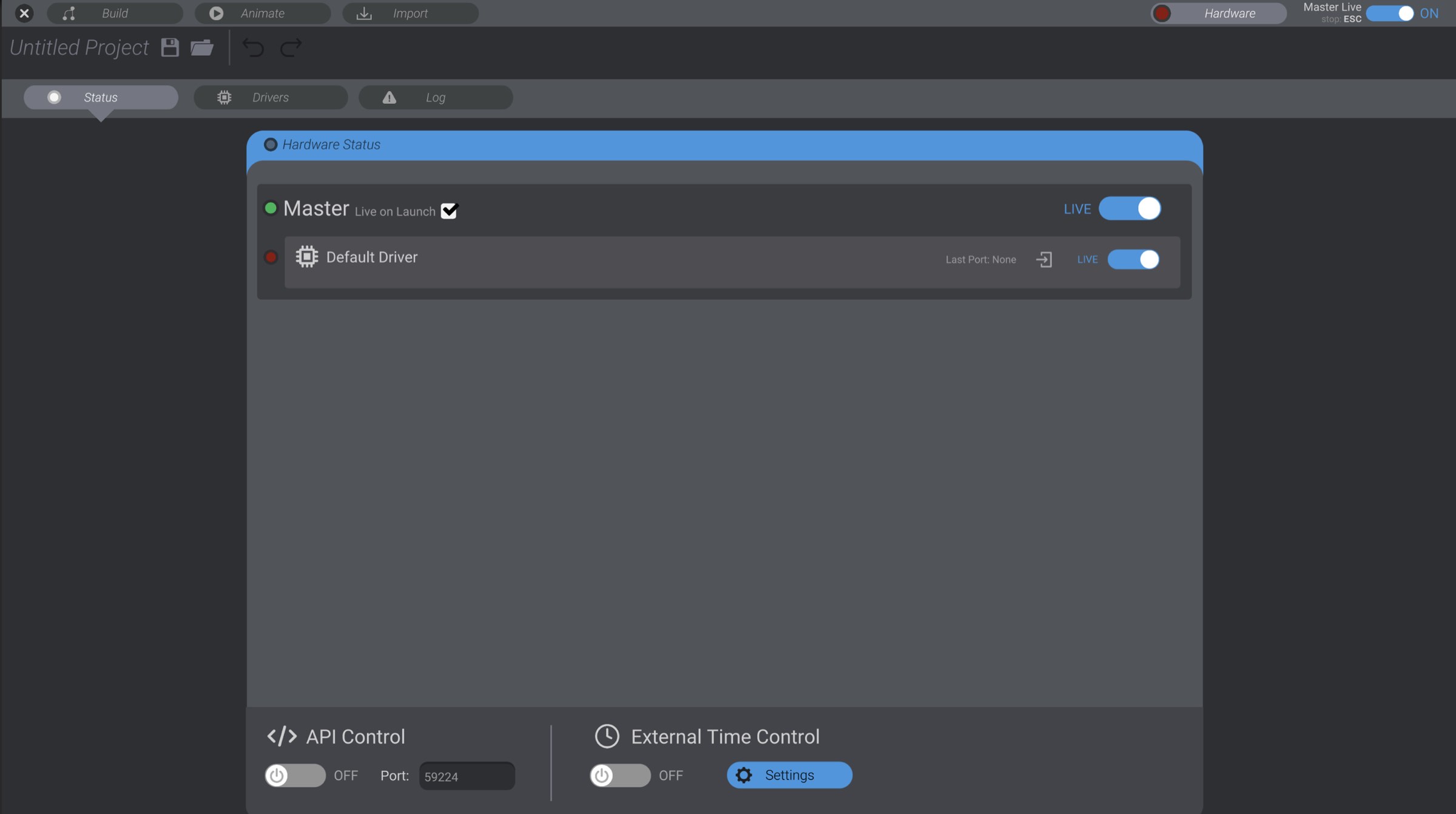
When enabled, there will be an additional clock icon up in the top bar as well, showing that external time control is enabled:

The icon will be white when there is no signal, green when following a signal, and have a ping animation each time the requested playback state is changed or drift correction occurs.
The LTC signal will only be processed while in the animation tab. You will receive a warning if you enable LTC and a signal is detected while outside of animate.
Otherwise, while in the animation tab, Bottango will stop playing, start playing, and seek to time as detected on the LTC signal, as well as correct for drift when drift occurs. LTC cannot currently be used to start/stop input recording.
Next to the enable/disable toggle, there is a button to show timecode settings. This brings up the configuration options:
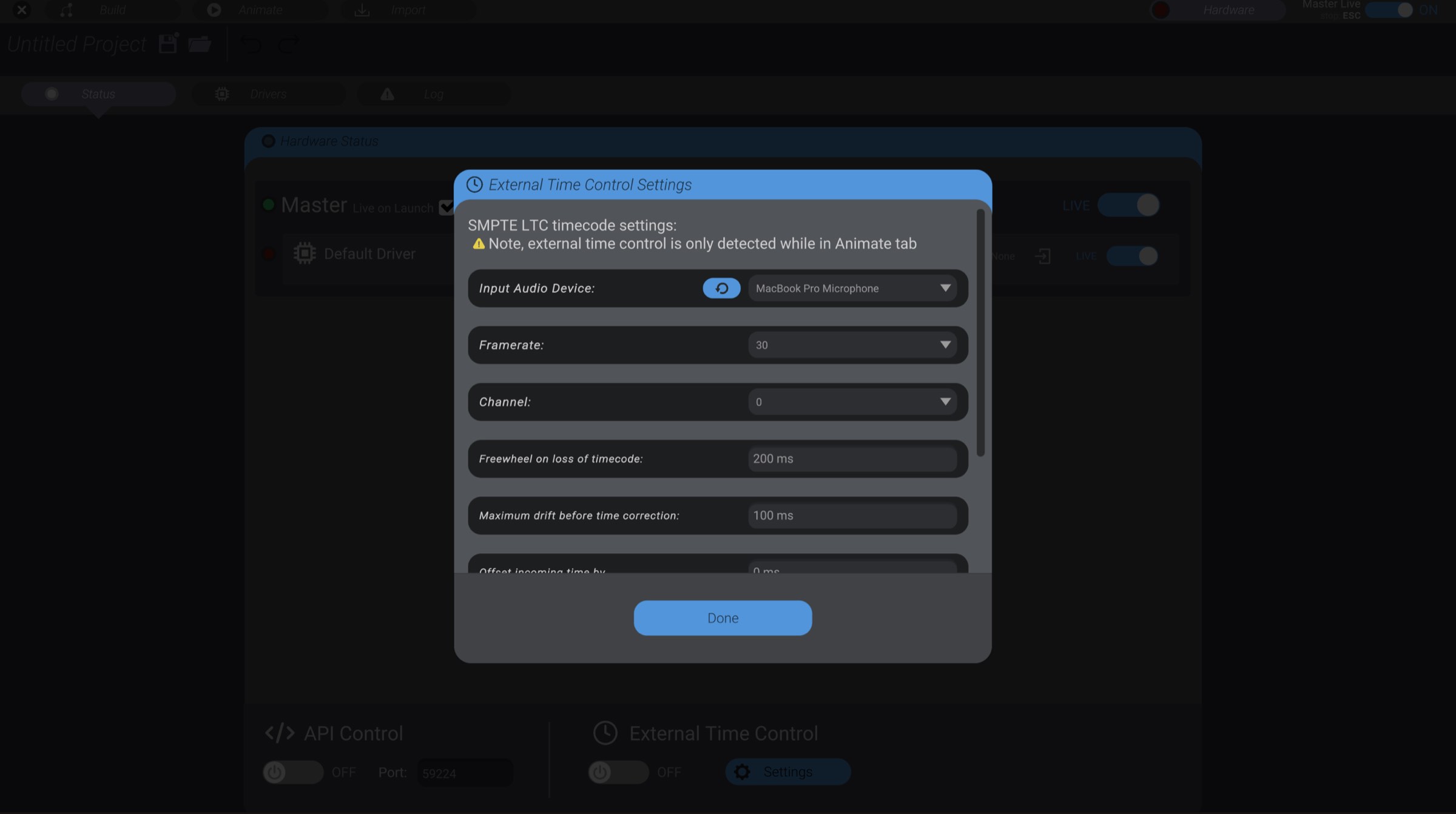
These are the settings available:
- Input Audio Device: Which audio device should be monitored for LTC signal. The refresh button refreshes the list of available devices.
- Frame rate: The frame rate of the LTC audio signal. You can select from the most common options, including drop frame and no drop frame choices.
- Channel: The channel on the audio signal to monitor. For example, in a mono signal, you’d choose channel 0. The right channel of a stereo signal would be channel 1, etc.
- Freewheel on loss of timecode: Once playing from external time control, how long should Bottango continue playing when timecode is no longer detected, in milliseconds. Longer values are more fault tolerant, but may play longer than intended.
- Maximum drift before time correction: How large drift in milliseconds can grow to be between Bottango time and external time before Bottango jumps forward / back in the animation to compensate for the drift.
- Offset incoming time by: Offset the detected time by this value in milliseconds. This is useful for compensating for consistent latency, etc.
- Time Seek Jog Duration: When Bottango detects a request to play via LTC that starts at a different time than the current time, Bottango will jog to the new time first in a gradual move rather than jump straight to that time, in order to prevent damage to your hardware from sudden movement. This value is the duration of the jog transition in milliseconds. As an example, if current time is 15 seconds, jog duration is set to 2000 ms (2 seconds) and Bottango begins detecting external playback at 45 seconds, Bottango will jog for 2 seconds to the 47-second mark (45 seconds + the 2 seconds to catch up) in the animation, then begin playing in sync with the external timecode. If you set this value to 0, this behavior will be skipped and Bottango will begin playing immediately.
- Skip Time Seek Jog when seek less than: The above jog behavior would be annoying if it occurred at even a tiny seek, so Bottango will jump immediately to the desired time when the difference between current time and requested time is less than or equal to this value in milliseconds.
