
Advanced Topic Skip if you’re new, explore when you’re ready.
When you import audio into Bottango and enable “Play On Hardware” in the import options you’ll be able to react to the audio keyframes when they would be played in the firmware. For most use cases and hardware, this takes the form of creating and calling a custom trigger event for you.
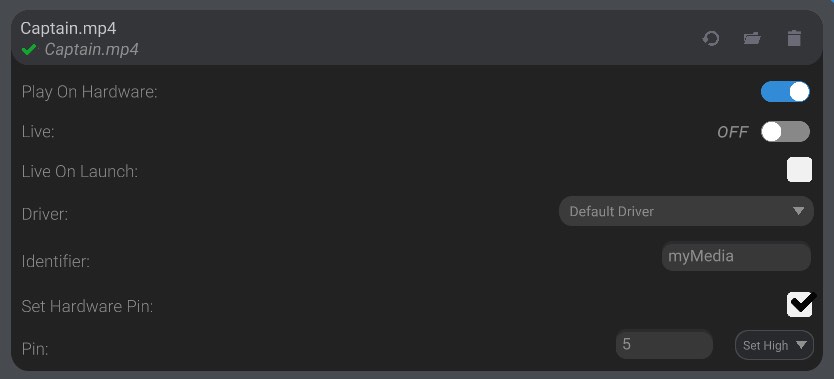
You can set the trigger event to take a pin LOW or HIGH code-free, the same way you can with a normal trigger event. You can also add your own custom logic to the onTriggerCustomEventTriggered callback method.
void onTriggerCustomEventTriggered(AbstractEffector *effector){    // example, communicate with some external audio hardware    char effectorIdentifier[9];    effector->getIdentifier(effectorIdentifier, 9);
if (strcmp(effectorIdentifier, "mySong") == 0) { // your audio triggering logic here }}The simplest audio hardware to add to your setup would be audio playing hardware that can trigger playing an audio file just by monitoring its own pin states. An example of this would be the Adafruit Audio FX Sound Board.
Adafruit Audio FX Sound Board
Shop: https://www.adafruit.com/product/2133
You can trigger audio with this hardware by taking one of its pins LOW.
With hardware like that, you don’t need to customize the callbacks at all, and can use the built-in options to control pin state as audio plays.
If you use hardware that has requirements like serial communication, you’ll need to add the required logic into the trigger event, as well as any initialization logic into either onThisControllerStarted or onEffectorRegistered and onEffectorDeregistered depending on the needs of your chosen hardware.