
Skip to content

Connecting

Expert Topic for experienced builders.
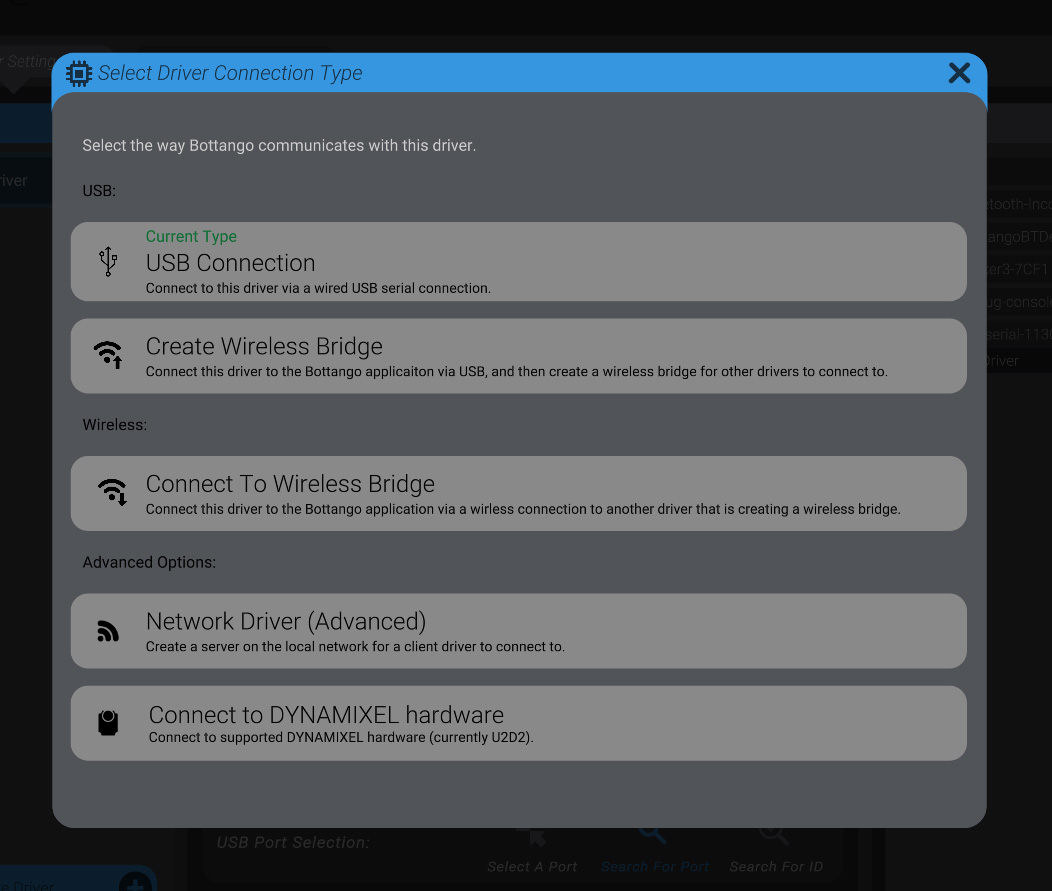
  1. Navigate to the Hardware view, and then “Driver Settings.”
  2. Select the driver (or create a new one) you want to communicate with as a network driver.
  3. Press the “Change Connection Type” button, and select the “Network Driver (Advanced)” option. Screenshot: Using a Network Driver

When that driver is live, a socket server will open on (59225 by default). If you want to change ports, you can input the desired port in the “Connection Settings” submenu. Note that if you want multiple active network drivers, each will need its own port.
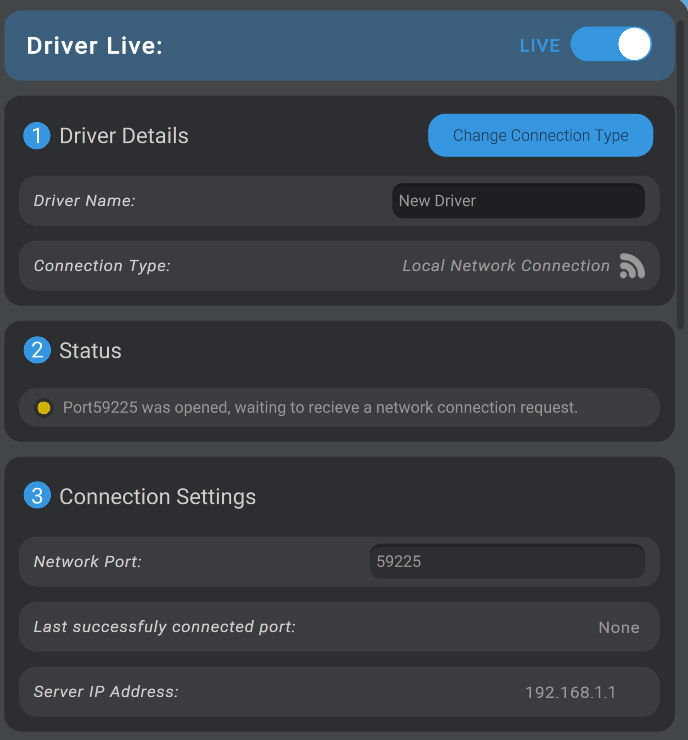
Screenshot: Using a Network Driver